By HerYelle · Last updated on September 13, 2026 ·
Disclosure: HerYelle may earn a commission if you sign up through our links, at no extra cost to you. We only recommend tools we have tested ourselves.

In this Todoist review, we look at how the to-do list 30 million people trust keeps work and life in one calm place. We tested it for over a year as working creators, and we also tracked how real power users in China use it for grad school, corporate jobs, and side hustles. The consistent theme we heard: Todoist doesn’t magically make you disciplined — it makes complex plans simple enough to actually finish. Here is the honest version for solo female creators and mompreneurs: what it does, where the free plan stops, and whether the 2025 calendar-sync update is worth paying for.
Todoist review: bottom line
Best for solo female creators and mompreneurs who want one reliable place for business + home tasks across phone and laptop, without learning a heavy project manager. The free plan covers most solo needs; Pro at $5/month (billed yearly, $60/yr) unlocks the calendar layout, unlimited templates, full history, and two-way calendar sync — worth it once you are publishing weekly or juggling client deadlines.
Best for
- Female solopreneurs running a business and a household in one app — personal, work, and team tasks live under one roof via Workspaces.
- Mompreneurs who capture tasks hands-free — Todoist’s AI voice assistant Ramble turns a spoken thought into a dated, prioritized task while you are walking the dog or at school pickup.
- Content creators who run a content calendar on recurring dates (e.g., “post Reel every Tue 9am”) and never miss a sponsor deadline.
- Grad students and career switchers who need sub-projects and reusable templates — for example, “Math → Chapter 3 Integrals” with a weekly “preview → homework → exam review” template.
- Freelancers drowning in client emails — Email Assist turns a forwarded email into an actionable task with due date and notes in two clicks.
- Anyone who lives by a calendar — the 2025 update added two-way Google/Outlook calendar sync, so meetings and tasks finally share one view.
Not ideal if
- You need real team collaboration (shared docs, approvals, roles) — that is the paid Business plan, or look at ClickUp / TickTick Teams.
- You want AI to write your content — Todoist’s AI plans and breaks down tasks; it does not draft captions or blog posts.
- You need timelines / Gantt / dependencies — Todoist is a task manager, not a full project-management tool.
- You are on the free plan long-term and will hit the 5-project / 1-week-history wall within a month.
- You want zero-app minimalism — the iPhone’s built-in Calendar + Shortcuts can handle a simple “3 priorities a day” workflow for free.
Todoist review Real-world example
In Todoist review example, Lin is a marketing coordinator in Shanghai with a weekend side business. She runs her full-time job and her side hustle from the same Todoist workspace. During her commute she taps Ramble and says, “Order packaging samples, high priority, due Friday” — it lands as a task before she gets to the office.
At work she uses the Kanban view with four columns — To Do, In Progress, Review, Done — and drags tasks across as they move. For her side-business content, she set a recurring template: every Monday it auto-creates “outline Reel → film → edit → schedule.” After six months, her weekly task-completion rate went from roughly 30% to 90%. “It did not make me disciplined,” she told us. “It made the complex plan simple enough to follow.”
Team fit
Solo creators stay happy on Free (5 projects is enough for “Biz / Home / Content / Finance / Ideas”). Once you add a VA or co-founder, you need Business ($8/user/mo billed yearly) for the shared team workspace, roles, and 500 team projects. Most female solo creators never need Business.
Pricing
Free (Beginner): genuinely usable — 5 personal projects, Smart Quick Add, task reminders, list & board layouts, 3 filter views, 1 week activity history, Ramble (limited sessions), 90+ integrations.
Pro: $5/user/month billed yearly— 300 projects, calendar layout, task duration, custom reminders, 150 filter views, full history, Task Assist + Email Assist AI, unlimited Ramble, template library, and two-way calendar sync with Google/Outlook.($60/yr)
Business: $8/user/month billed yearly — shared team workspace, 500 team projects, roles/permissions, centralized billing, SOC 2 Type II.($96/yr)
Monthly billing is slightly higher than annual. Prices as of September 2026 .
Pros
- ✅ Natural-language Quick Add — type “Call accountant every quarter” and it files the date, priority, and project automatically.
- ✅ Truly cross-platform + offline — phone, tablet, desktop, watch; works without signal, syncs later.
- ✅ Ramble voice capture — hands-free task entry, a lifesaver for moms on the move.
- ✅ Calendar sync (2025 update) — meetings, tasks, and dentist appointments now live in one view; drag a task to reschedule and it syncs back.
- ✅ Kanban + list + calendar layouts — switch views without losing your data.
- ✅ Templates and sub-projects — perfect for recurring workflows like content batching or study modules.
- ✅ Hidden lists — hide routine tasks like “drink water” so they do not clutter today’s count but still remind you.
- ✅ Global quick add — Ctrl+Shift+A on desktop, or swipe down the phone notification shade.
- ✅ Todoist Assist AI — Task Assist breaks big goals into steps; Email Assist clears your inbox into tasks; Filter Assist builds views without syntax.
- ✅ 90+ integrations — calendar, email, automation, and voice assistants all connect.
- ✅ Share and print lists — send a list to a partner or assistant, or print it for a ritual/paper feel.
Cons
- ❌ Free is capped — 5 projects and only 1 week of activity history; heavy users outgrow it within a month.
- ❌ AI plans, does not write — Task Assist guides your workflow, but will not draft your Instagram caption or blog post.
- ❌ No native timeline/Gantt — dependencies and roadmaps need a different tool.
- ❌ Real collaboration is paid — shared workspace, roles, and team projects are Business-only.
- ❌ Calendar lock and multi-window are Pro-only — free users do not get the full scheduling power.
Integrations that matter
- Google Calendar / Outlook (two-way sync) — your tasks show on the calendar layout next to meetings.
- Gmail / Outlook email — forward a message to Todoist and it becomes a dated task. Pairs perfectly with Email Assist.
- Zapier / Make — auto-create Todoist tasks from new form fills, sales, or social DMs.
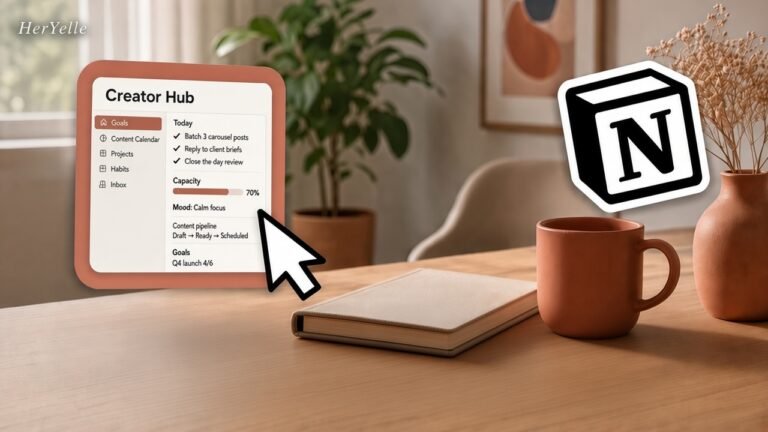
- Notion — use Notion for long docs, Todoist for the actionable next step; bridge them with a Zapier connection.
Verdict
For most solo female creators, Todoist is the safest first task manager: free to start, zero learning curve, and the AI features (Ramble + Task Assist) actually save minutes every day. Start on Free, then move to Pro ($5/mo) the moment you publish weekly, start missing deadlines, or want your calendar and tasks in one view — the calendar sync, templates, and unlimited history pay for themselves fast. Skip Business unless you have added a team.
Todoist review FAQ
Is Todoist free plan enough for a solo female creator?
For the first month, yes — 5 projects covers Biz / Home / Content / Finance / Ideas, and Ramble + reminders handle capture. Once you need more than 1 week of history, templates, or a calendar view, Pro ($5/mo) is the natural step.
Does Todoist’s AI write my content for me?
No. Todoist Assist (Task Assist, Email Assist, Filter Assist) plans and breaks down your tasks — it turns goals into steps and emails into actions. For writing captions and scripts, pair it with ChatGPT or Jasper.
Can I share Todoist tasks with my partner or assistant?
Yes. Todoist has a share feature that lets you send lists to family, partners, or team members. Some users even print the shared list for a ritual/paper feel.
Can I use Todoist for a content calendar?
Yes. Set recurring dates (“every Tue 9am”) for each post, add task duration, and switch to the calendar layout to time-block your week. Many creators run their entire editorial calendar here.
Why trust our software reviews
In this todoist review, We test every tool hands-on as working creators — not just read spec sheets. We also synthesize real user workflows from power users worldwide.